
AI agents are quickly moving from product demos into everyday business software. They can read enquiries, search documents, update records, draft responses and complete multi-step tasks across several tools. For a small business, that sounds like an opportunity to increase capacity without adding more administrative work.
However, buying an AI tool or building an agent is not the same as improving a business process. An agent can only be as reliable as the workflow, data, permissions and review rules around it. Without those foundations, automation may simply move mistakes faster.
This guide explains how to build dependable AI workflows for small business operations. The focus is not on creating the most autonomous system possible. It is on designing practical systems that save time, reduce repeated work and keep important decisions under appropriate human control.
Why AI agents are changing business automation
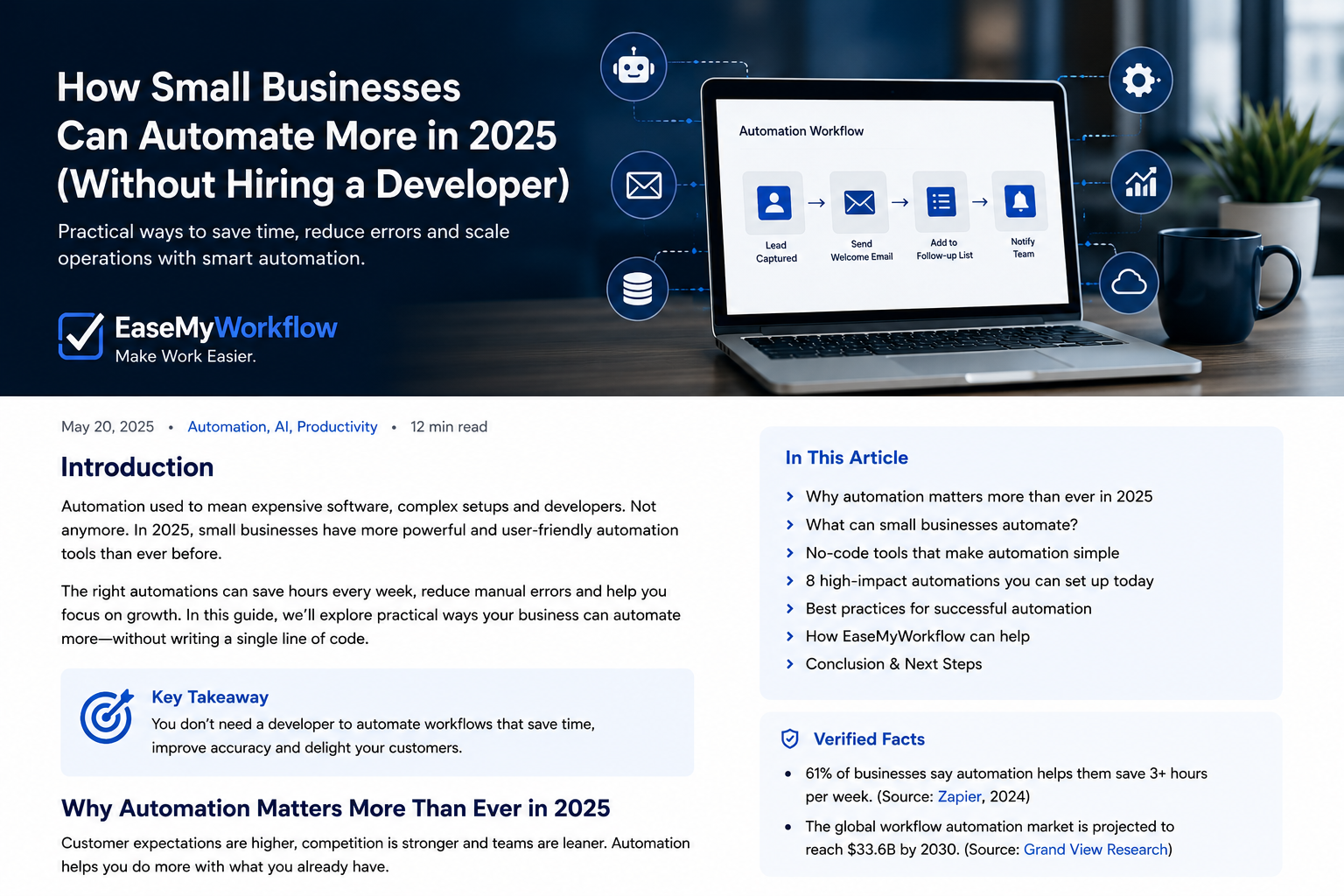
Traditional workflow automation is usually predictable: when a specific event happens, the system performs a predefined action. A website form submission might create a CRM contact, send a confirmation email and notify a salesperson.
AI adds a judgement layer. It can interpret a loosely written enquiry, identify the likely service requested, extract relevant details and suggest the next action. This makes automation useful for the messy, unstructured information that appears in emails, documents, meeting notes and support messages.
That distinction matters. As Zapier explains in its 2026 guide to AI business automation, many practical systems sit between rigid rules and fully autonomous agents: AI handles interpretation, while predictable automation handles execution.
The current shift is therefore not simply from people to agents. It is from isolated AI tasks to redesigned operating systems. Microsoft’s 2026 Work Trend Index research, based on a survey of 20,000 AI-using workers across 10 countries and anonymised Microsoft 365 signals, argues that the structure of work is becoming a key constraint. The important question is not only what AI can do, but how responsibilities are divided between people, software and agents. See Microsoft’s official summary.
An AI agent is a component, not the complete system
A useful way to think about an AI agent is as a capable worker inside a process. The agent may be able to reason, use tools and complete several steps, but it still needs:
- A clearly defined outcome
- Access to the correct information
- Instructions for handling common and unusual cases
- Limits on what it may read, change or send
- A way to escalate uncertain or sensitive decisions
- Logs and measurements that show what happened
OpenAI’s practical guide to building agents recommends an incremental approach rather than immediately creating complex multi-agent systems. It also emphasises clear tools, structured instructions, evaluation and guardrails. That is a useful principle for small businesses: start with one valuable workflow, make it dependable, and expand only after the results are measurable.
The five-layer model for reliable AI workflows
1. Map the real process before automating it
Begin with what actually happens today, not what a policy document says should happen. Identify the trigger, the information required, the decisions made, the systems updated and the point at which the work is complete.
For example, a lead-handling process may include receiving an enquiry, checking whether the contact is genuine, identifying the requested service, deciding who should respond, creating a CRM record and scheduling follow-up. If the process is unclear or changes every time, automation will be difficult to maintain.
Good first candidates are frequent, repetitive and reasonably consistent. Avoid starting with a rare process that depends on negotiation, deep expertise or exceptions at every stage.
2. Separate judgement from execution
Use AI only where interpretation is genuinely useful. Keep predictable actions rule-based wherever possible.
An AI model might classify an enquiry as website development, workflow automation or support. A standard automation can then create the record, apply the correct tag and notify the assigned person. This design is easier to test because the flexible step is contained, while the rest remains auditable.
A useful design question is: Does this step require judgement, or does it simply require consistency? Use AI for the first and conventional automation for the second.
3. Give the system the minimum necessary access
An agent that can read a calendar may not need permission to delete events. A lead assistant may need to create draft CRM records but not export the full customer database. A support workflow may prepare a refund recommendation without having authority to issue the payment.
Minimum-access design limits the effect of mistakes and makes the system easier to govern. Permissions should be reviewed whenever the workflow gains a new tool or data source.
4. Add approvals at high-impact points
Human review is most valuable before actions that are difficult to reverse, financially significant, customer-facing or sensitive. Examples include sending a proposal, changing a contract, issuing a refund, deleting information or sharing confidential data.
OpenAI’s documentation on guardrails and human review distinguishes between automatic checks and approval steps that pause a workflow before a sensitive action. Small businesses can apply the same concept even in no-code systems: allow low-risk steps to run automatically, but require approval for high-impact outcomes.
5. Measure the workflow as a business system
Do not judge an AI workflow only by whether it produces an impressive answer. Measure whether the complete process improves.
- How much manual handling time was reduced?
- How often did the workflow complete successfully?
- How many cases required correction or escalation?
- Did response times improve?
- Did customers or team members experience new problems?
- What did the workflow cost per completed case?
Store enough information to investigate failures. At minimum, keep the original input, key decisions, actions taken, timestamps, approval history and final outcome. This creates a feedback loop for improving instructions, rules and permissions.
Practical example: an AI-assisted lead enquiry workflow
Consider a service business receiving enquiries through its website, email and social channels. A dependable AI-assisted workflow could operate as follows:
- Capture: Bring enquiries into one intake system.
- Validate: Check required fields, remove duplicates and flag obvious spam.
- Interpret: Use AI to summarise the request, identify the likely service and extract deadlines or budget signals when they are explicitly provided.
- Route: Use standard rules to assign the enquiry to the correct person or pipeline.
- Respond: Send a safe acknowledgement automatically. Prepare a personalised draft for human approval when the response includes pricing, commitments or technical advice.
- Record: Create or update the CRM entry with the source, category and follow-up date.
- Monitor: Alert the owner if the lead is not reviewed within the agreed response window.
This workflow does not require an all-powerful agent. It combines a few AI interpretation steps with reliable automation and clear human responsibility. That is often enough to create meaningful operational improvement.
A 30-day implementation plan
Week 1: Choose and map one workflow
Select a process with clear pain, sufficient volume and an outcome you can measure. Document the current steps and collect examples of normal cases, difficult cases and failures.
Week 2: Prepare data, rules and permissions
Clean the information sources the workflow will use. Define categories, required fields, escalation rules and access limits. Decide which actions can be automatic and which require approval.
Week 3: Build and test a controlled pilot
Run the workflow on historical or low-risk examples before allowing live actions. Test incomplete requests, contradictory information, unusual formats and attempts to make the system ignore its instructions. NIST’s Generative AI Risk Management Profile is a useful reference for thinking systematically about trustworthiness across the design, use and evaluation of AI systems.
Week 4: Launch narrowly and review results
Start with limited users, customers or transaction types. Review logs frequently, compare outcomes with the old process and correct the causes of errors. Expand only when the workflow is stable enough to justify broader use.
What small businesses should not automate first
Some tasks are poor starting points even when an AI tool appears capable of handling them.
- Processes with no clear owner
- Tasks that happen too rarely to evaluate properly
- Decisions involving legal, financial or safety consequences without expert review
- Customer communication where a mistake could create a serious commitment
- Workflows built on incomplete, outdated or inconsistent data
- Processes that are already broken and need redesign rather than acceleration
Automation should remove friction from a good process. It should not hide a bad one.
Choose tools after defining the workflow
Tool selection becomes easier once the business requirements are clear. Evaluate platforms based on integrations, permission controls, approval steps, logs, error handling, data policies, maintainability and total operating cost. A visually impressive agent builder is less valuable than a simple system your team can understand and support.
For many businesses, the right solution may combine an existing CRM, a no-code automation platform, an AI model and a lightweight dashboard. Custom development becomes useful when the process is strategically important, requires unusual integrations or needs a tailored user experience.
Build systems that make work easier
AI agents can increase what a small team is able to handle, but the durable advantage comes from workflow design. Reliable systems have clear outcomes, clean inputs, limited permissions, human approvals and measurable performance.
Start with one process where delays, repeated data entry or inconsistent handoffs are creating real cost. Design the workflow around the business result, use AI only where judgement is needed, and improve the system through evidence rather than hype.
EaseMyWorkflow helps businesses improve processes through professional websites, AI systems, workflow automation, custom dashboards and digital operations. To identify practical opportunities in your business, request an AI Business Audit or discuss a workflow challenge with the EaseMyWorkflow team.