
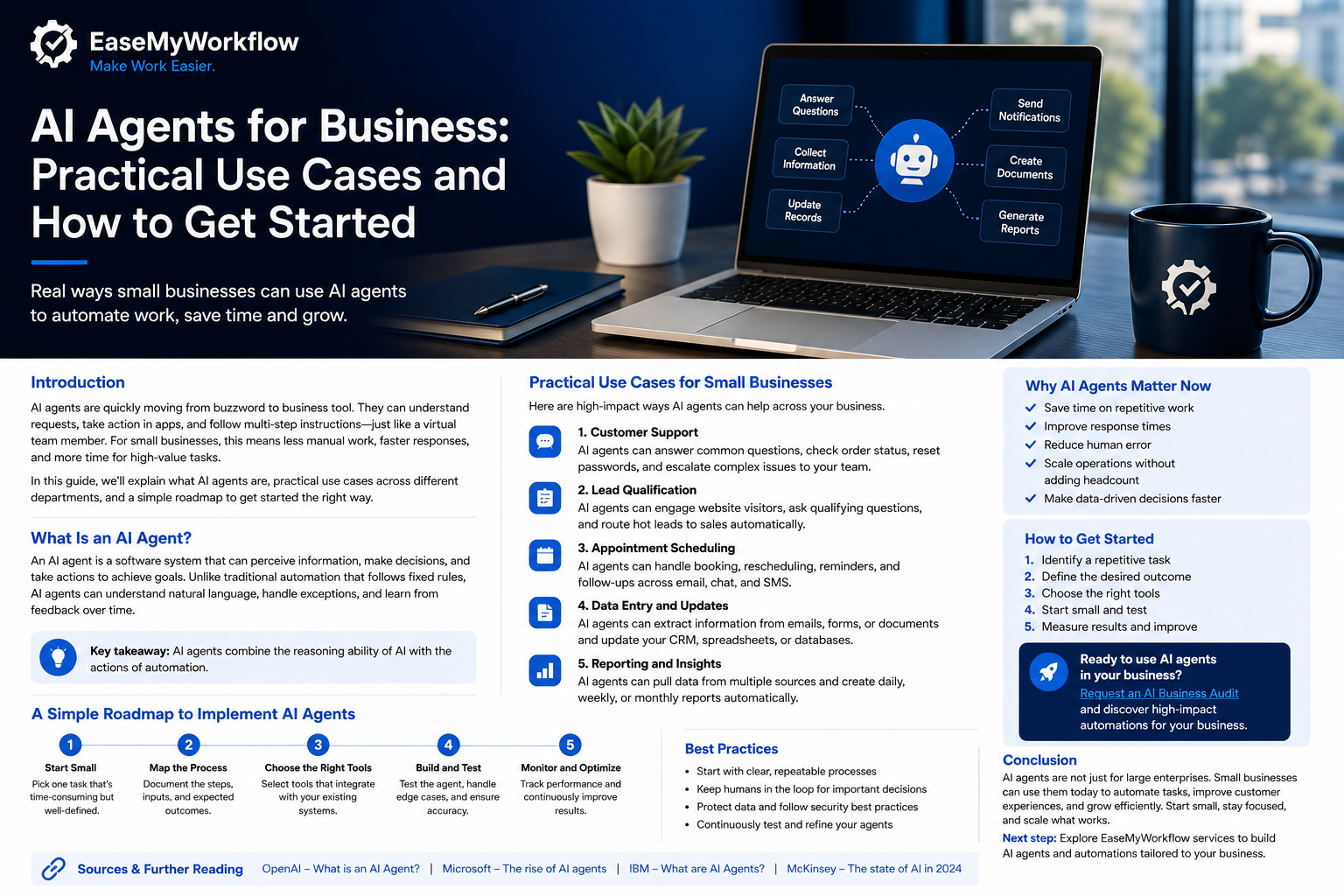
AI agents are moving from experimental demos into real business workflows. The important shift is not that software can produce better answers. It is that an AI system can now interpret a request, use approved tools, follow a process, take limited actions and hand the work to a person when necessary.
That sounds powerful, but it also creates a practical question for founders and small teams: where should an AI agent actually be used, and how can it be introduced without creating unnecessary risk?
Recent product announcements make the direction clear. On July 22, 2026, OpenAI introduced OpenAI Presence, an enterprise product for deploying voice and chat agents across customer and internal workflows. A day earlier, the company announced a ChatGPT program for small businesses focused on helping lean teams use AI in everyday work.
The products serve different markets, but together they highlight a useful lesson: the next stage of business AI is about connecting intelligence to clear processes, permissions, systems and human oversight.
What Is an AI Agent for Business?
An AI agent is a software system designed to pursue a defined goal using information, reasoning and tools. Unlike a standard chatbot that only returns text, an agent may be permitted to search records, update a system, draft a document, route a request, trigger an automation or ask a person for approval.
A useful business agent normally combines five elements:
- A specific job: for example, qualifying an enquiry or preparing a weekly performance report.
- Business context: approved documents, policies, customer information or operational data.
- Tools: access to systems such as email, a CRM, a help desk, a calendar or a database.
- Rules and limits: what the agent may do, what it must not do and when it needs approval.
- Monitoring: logs, evaluations, exception handling and a way to improve the workflow over time.
The strongest use cases are rarely “let the AI run the business.” They are narrower: give the agent one valuable responsibility, define its boundaries and connect it to a reliable workflow.
Why OpenAI Presence Matters
OpenAI describes Presence as a product for trusted agents that can answer questions, resolve issues, use company systems, take approved actions and escalate to people. Its initial use cases include customer support, outbound sales, billing issues, insurance claims and employee IT requests.
The product is currently offered through a limited general-availability programme for eligible enterprise customers and is not a self-service tool. That means most small businesses will not be deploying Presence directly today.
However, its design offers a useful operating model that smaller businesses can apply with more accessible automation tools:
- Start with one clearly defined job.
- Give the system only the information and access required for that job.
- Document policies, permissions and escalation rules.
- Test the agent through realistic scenarios before launch.
- Review production conversations and exceptions after launch.
- Approve changes through a controlled improvement process.
This is a more mature approach than connecting a language model to several apps and hoping it behaves correctly.
Five Practical AI Agent Use Cases for Small Businesses
1. Customer enquiry triage
A service business may receive enquiries through website forms, email, social messages and chat. An AI agent can classify the request, extract important details and route it to the correct person or pipeline.
For example, a website enquiry could be categorised as a sales lead, support issue, supplier request or general question. The agent could draft an acknowledgement, create a CRM record and notify the right team member.
The agent should not be allowed to make promises about pricing, deadlines, refunds or contractual terms unless those actions are explicitly approved.
2. Lead qualification and follow-up preparation
An agent can review a new lead against simple qualification criteria such as service required, company size, budget range, location and expected timeline. It can then prepare a concise summary for a salesperson and recommend the next step.
A well-designed process might allow the agent to send a standard acknowledgement but require human approval for a personalised proposal or commercial commitment.
This reduces repetitive administration while keeping important relationship decisions with a person.
3. Appointment and scheduling support
Scheduling is a strong candidate for automation because the goal is clear and the actions are measurable. An agent can collect availability, check calendar rules, suggest suitable times, create an event and send reminders.
Complicated cases—such as urgent requests, multi-person meetings or rescheduling after repeated changes—can be escalated. This combination of automation and exception handling is usually more reliable than trying to automate every possible scheduling scenario.
4. Reporting and operational summaries
Many owners spend time collecting information from spreadsheets, dashboards, email and project tools before a weekly meeting. An AI agent can gather the approved data, organise it into a consistent format and highlight changes that need attention.
Examples include:
- A weekly sales-pipeline summary.
- An overdue-project and blocker report.
- A customer-support issue digest.
- A website lead and conversion summary.
- A list of unpaid invoices that need follow-up.
The agent should show its sources and avoid presenting assumptions as verified facts. A human owner should review any conclusion that may affect staffing, spending or customer decisions.
5. Internal knowledge and process support
Small teams often rely on one experienced person who remembers how everything works. An internal agent can make approved procedures easier to access by answering questions from company documentation and guiding staff through repeatable processes.
For example, it might explain how to create a new client project, where to save documents, which approval is needed before purchasing software or what steps are required when a customer raises a complaint.
This works best when the source material is current, clearly owned and regularly reviewed. An AI layer cannot repair a process that has never been documented.
Agents and Workflows Should Work Together
One of the most important design decisions is knowing when to use AI reasoning and when to use a fixed automation.
A traditional workflow is useful when the steps are predictable: when a form is submitted, create a record, send a notification and assign a task. An agent is useful when the process includes interpretation, messy information or judgement within defined limits.
Microsoft describes a similar pattern in Copilot Studio: the workflow maintains sequence, branching and an audit trail, while an agent handles the part that requires understanding. Control then returns to the workflow.
For a small business, that might look like this:
- A website form starts a fixed automation.
- An agent reads the free-text enquiry and classifies it.
- The workflow applies the correct routing rule.
- A human approves any sensitive response.
- The workflow records the outcome and schedules follow-up.
This hybrid model is often safer and easier to maintain than making the entire process autonomous.
A Safe Roadmap for Introducing AI Agents
Step 1: Choose one repetitive, measurable process
Start with a task that happens frequently and has a clear outcome. Good first candidates include enquiry routing, meeting preparation, report assembly or document classification.
Avoid beginning with a process that involves large payments, legal commitments, confidential decisions or irreversible customer actions.
Step 2: Map the process before selecting a tool
Write down the trigger, required information, decision points, system actions, exceptions and final outcome. Identify where a person must stay involved.
This process map becomes the foundation for instructions, permissions, integrations and testing.
Step 3: Apply least-privilege access
Give the agent the minimum access needed to complete its job. A reporting agent may need read access to sales data but no permission to edit opportunities. A scheduling agent may need calendar availability but not access to unrelated email.
Smaller permissions reduce the impact of mistakes and make the system easier to review.
Step 4: Define approval and escalation rules
OpenAI’s practical guide to building agents recommends human intervention for high-risk actions and when failure thresholds are exceeded. This is especially important during early deployment.
Examples of actions that should normally require review include issuing refunds, making payments, changing contractual information, deleting records and sending high-impact external communications.
Step 5: Test realistic scenarios
Test more than the happy path. Include incomplete requests, unclear wording, conflicting information, missing records, unusual customer behaviour and attempts to make the agent exceed its authority.
Record the expected outcome for each test so performance can be evaluated consistently.
Step 6: Launch with limited scope
Begin with a small volume, one team or one customer channel. Keep humans close to the process and review the agent’s actions frequently.
A controlled launch provides useful real-world evidence without exposing the entire operation to an untested system.
Step 7: Measure business results
Track operational outcomes rather than the novelty of the technology. Useful measures might include response time, time saved, number of correctly routed enquiries, percentage of tasks escalated, error rate and cost per completed workflow.
If the agent creates more correction work than it removes, the process needs redesign before expansion.
What Small Businesses Should Do Now
The launch of OpenAI Presence does not mean every business needs an enterprise agent platform. It does show where the market is moving: AI systems will increasingly operate inside real workflows, connected to company data and governed by explicit controls.
Small businesses can prepare by improving the basics:
- Document recurring processes.
- Clean up important business data.
- Clarify who owns each workflow.
- Standardise approval rules.
- Choose one high-value automation opportunity.
- Build monitoring and human review into the design.
The goal is not maximum autonomy. The goal is a dependable system that removes low-value work while keeping people in control of important decisions.
Conclusion
AI agents for business are most useful when they are treated as part of an operating system rather than as a standalone chatbot. The combination of a specific job, good data, limited permissions, structured workflows, testing and human escalation is what turns an impressive demo into a reliable business tool.
For a small team, the best starting point is one repetitive process with a clear outcome. Map it, simplify it, automate the predictable steps and use AI only where interpretation adds real value.
EaseMyWorkflow helps businesses improve processes, connect systems and build practical AI automations. To identify a suitable first project, request an AI Business Audit or discuss a workflow challenge. Make Work Easier.