
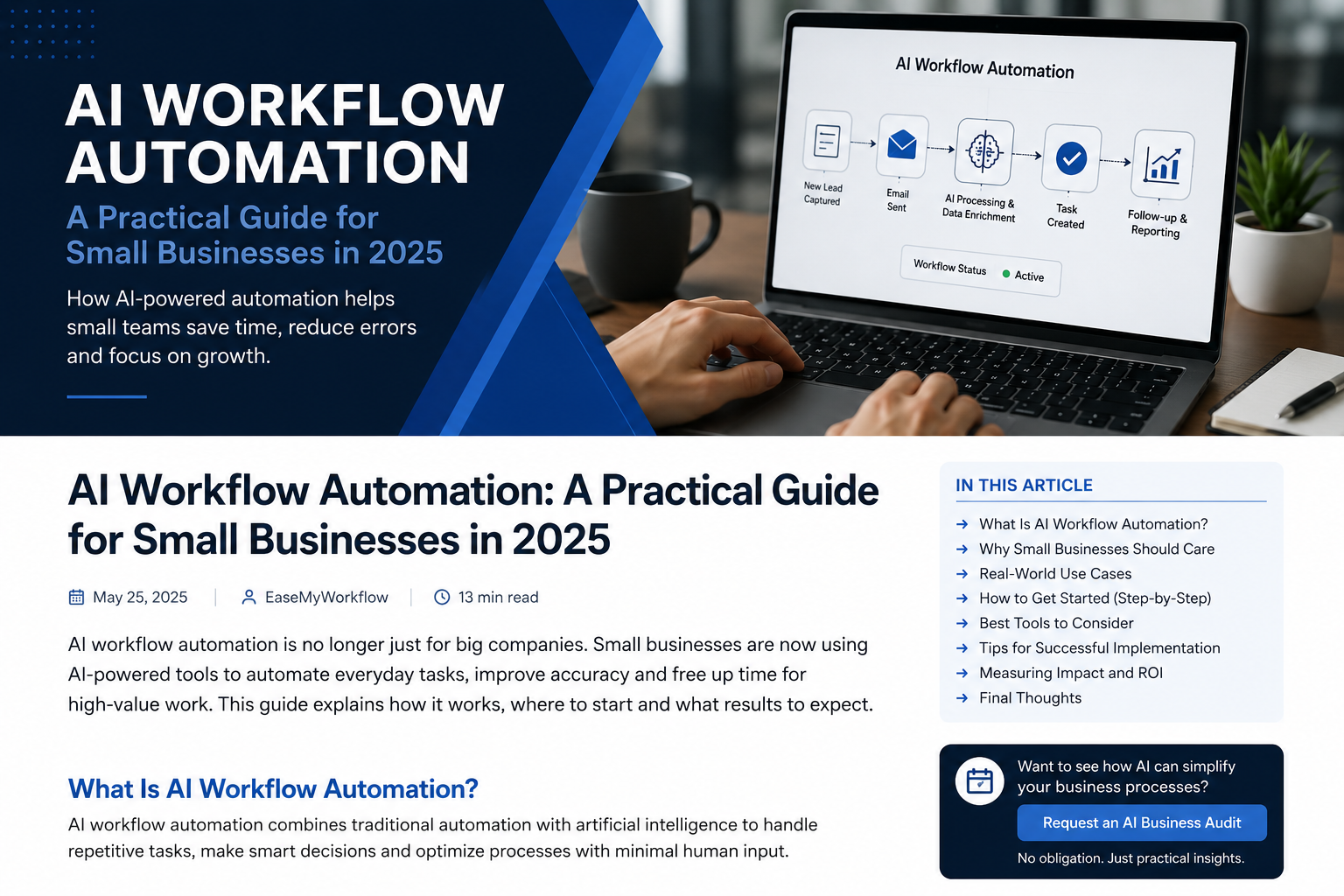
AI workflow automation is moving beyond simple chatbots and one-step content generation. The newer model is agentic: an AI system can interpret a request, use connected tools, make limited decisions and move work forward across several steps. For a small business, that can mean faster lead follow-up, better customer-service triage, cleaner data entry and fewer repetitive handoffs.
But more autonomy does not automatically create a better process. The most reliable approach is usually a human-in-the-loop AI workflow: automation handles the repeatable work, while people remain responsible for judgment, exceptions and high-impact actions.
This guide explains how to design AI workflow automation for a small business in a way that is useful, measurable and controlled.
Why human-in-the-loop AI workflows matter in 2026
AI tools are increasingly capable of taking on longer, multi-step assignments rather than responding to isolated prompts. OpenAI describes this shift as a move from short chatbot interactions towards delegated tasks in which agents can use tools, interact with systems and iterate towards an outcome. Google Cloud similarly defines AI agents as systems that can reason, plan and take actions on behalf of users.
At the same time, current workplace research reinforces the importance of human judgment. Microsoft’s 2026 Work Trend Index surveyed 20,000 knowledge workers who use AI across ten markets. Among those respondents, 66% said AI allowed them to spend more time on high-value work, while 86% said they treat AI output as a starting point rather than a final answer. The practical lesson is clear: AI can expand capacity, but people still need to set the quality bar, review important outputs and own the result.
What is an AI workflow?
An AI workflow is a sequence of steps in which an AI model helps interpret information, make a bounded decision or prepare an action. It may connect with a customer relationship management system, inbox, form, database, calendar, help desk or project-management tool.
A useful workflow normally combines three types of work:
- Deterministic automation: fixed rules such as “when a form is submitted, create a contact record.”
- AI-assisted work: interpretation tasks such as classifying an enquiry, summarising a document or drafting a response.
- Human approval: a checkpoint before a sensitive, expensive or irreversible action.
Not every process needs an AI agent. OpenAI’s agent-building guidance recommends agents especially for workflows involving complex decisions, hard-to-maintain rules or large amounts of unstructured data. A fixed automation is often better when the steps are predictable and the correct outcome can be expressed with simple rules.
Start with the process, not the tool
Many businesses begin by buying an AI platform and then searching for something to automate. Reverse that order. Start with a real operational problem that occurs often enough to matter.
Choose a suitable first workflow
A strong first candidate usually has the following characteristics:
- It happens repeatedly each week.
- It follows a recognisable pattern but includes some variation.
- People spend time reading, copying, categorising or reformatting information.
- Delays affect customers, sales or internal delivery.
- The risk of a mistake can be contained with an approval step.
Good examples include lead qualification, enquiry triage, meeting follow-up, invoice-data extraction, proposal preparation and weekly reporting. Poor first candidates include final legal decisions, unrestricted financial transactions, employee disciplinary actions or any workflow where a single error could cause serious harm.
Map the workflow before adding AI
Write the existing process in plain language from beginning to end. Include where information enters, who handles it, what systems are updated and where delays or errors occur.
A simple map can use six stages:
- Trigger: What starts the process?
- Input: What data, message or document is received?
- Interpretation: What needs to be understood or classified?
- Decision: What rule or judgment determines the next step?
- Action: What should be drafted, updated, assigned or sent?
- Record: What should be logged for tracking and review?
This map exposes an important distinction: some steps require intelligence, while others simply require reliable software plumbing. Use AI only where it adds value.
Decide where humans must stay involved
The right approval points depend on the consequence of an error. A helpful rule is: the more costly, sensitive or difficult to reverse an action is, the stronger the human control should be.
Low-risk actions
These may run automatically after testing:
- Tagging an inbound enquiry by topic
- Creating a task from a meeting note
- Drafting an internal summary
- Extracting fields from a standard document
Medium-risk actions
These should normally include sampling, confidence thresholds or approval for exceptions:
- Prioritising leads
- Suggesting a customer reply
- Updating important CRM fields
- Preparing a quote from approved price data
High-risk actions
These should require explicit human approval and strong access controls:
- Issuing refunds
- Sending contracts or binding commitments
- Making payments
- Deleting records
- Sending sensitive personal information
OpenAI’s practical agent guide recommends layered guardrails alongside authentication, authorisation, access controls and normal software-security practices. Human approval is one layer, not a replacement for secure system design.
Build a minimum viable AI workflow
A first version should solve one narrow problem well. Avoid building a multi-agent system when a single controlled workflow can do the job. OpenAI recommends maximising a single agent’s capabilities before adding more agents, because additional orchestration creates complexity and overhead.
1. Define the outcome and quality standard
Replace a vague goal such as “automate customer service” with a measurable one: “classify new support emails, draft a response from the approved knowledge base and route uncertain cases to a team member.”
2. Limit the data and tools
Give the workflow access only to the information and actions it needs. For example, a lead-triage workflow may need form data, a product list and CRM access, but it probably does not need access to billing or payroll systems.
3. Write clear operating instructions
Specify what the AI should do, what it must not do, what sources it may use, how it should format outputs and when it must stop and ask for review.
4. Add an approval queue
Do not rely on people checking random notifications. Create one visible place where approvals, exceptions and failed runs appear. Include the original input, the AI’s proposed action and the reason it was flagged.
5. Test with real examples
Use past enquiries, documents or tasks that represent normal cases, difficult cases and edge cases. Track where the workflow is accurate, uncertain or consistently wrong. Never test a new automation by silently turning it loose on live customer interactions.
6. Launch gradually
Begin with draft-only mode, then allow low-risk automatic actions, and expand only when the evidence supports it. Keep a manual fallback so the process can continue if the AI tool or integration fails.
Three practical small-business examples
Lead enquiry workflow
A website form triggers the workflow. AI identifies the service requested, summarises the enquiry and checks whether essential details are missing. A rule creates the CRM record and assigns an owner. The system drafts a personalised acknowledgement, but a person approves replies for high-value or unusual enquiries.
Customer-support triage
AI classifies incoming messages, finds relevant information in an approved knowledge base and prepares a response. Straightforward questions can be handled automatically after testing. Complaints, refunds, safety issues and uncertain answers are routed to a human.
Weekly operations report
A scheduled workflow collects data from approved systems, checks for missing fields, calculates predefined metrics and uses AI to draft a plain-English summary. A manager reviews the commentary before it is shared. The calculations remain deterministic; AI explains the results rather than inventing them.
Measure whether the workflow is actually better
Automation should improve an outcome, not merely create activity. Track a small set of measures before and after launch:
- Time from trigger to completion
- Minutes of human effort per case
- Error or rework rate
- Percentage of cases requiring review
- Customer response time
- Cost per completed workflow
Review failures by category. A high approval rate may mean the instructions are unclear, the input data is poor or the workflow has been given too broad a scope. The NIST AI Risk Management Framework recommends treating risk management as a continuous lifecycle activity organised around four functions: govern, map, measure and manage. That is a useful operating model even for a small team.
Common mistakes to avoid
- Automating a broken process: remove unnecessary steps before digitising them.
- Giving the AI excessive permissions: start with the minimum access required.
- Skipping exception design: define what happens when confidence is low or a system fails.
- Using AI for fixed calculations: keep prices, totals, dates and business rules deterministic where possible.
- Measuring only time saved: include quality, customer impact and rework.
- Removing human ownership: assign a named person to review performance and approve changes.
A practical 30-day starting plan
During the first week, choose one workflow and measure the current process. In the second week, map the steps, decide approval points and prepare clean source data. In the third week, build a draft-only version and test it with historical examples. In the fourth week, launch it for a small group, review every result and decide whether low-risk steps are ready for automation.
The goal is not maximum autonomy. The goal is a dependable system that reduces friction while preserving accountability.
Make work easier without losing control
AI workflow automation can give a small business more operational capacity, but the strongest systems combine machine speed with human judgment. Start with one well-defined process, keep permissions narrow, add approval where consequences matter and improve the workflow using evidence from real use.
EaseMyWorkflow helps businesses design practical AI systems, workflow automations, websites, dashboards and digital operations. Explore EaseMyWorkflow services or request an AI Business Audit to identify a suitable first workflow. Make Work Easier.